
Introduction
Cruncher
Section titled “Cruncher”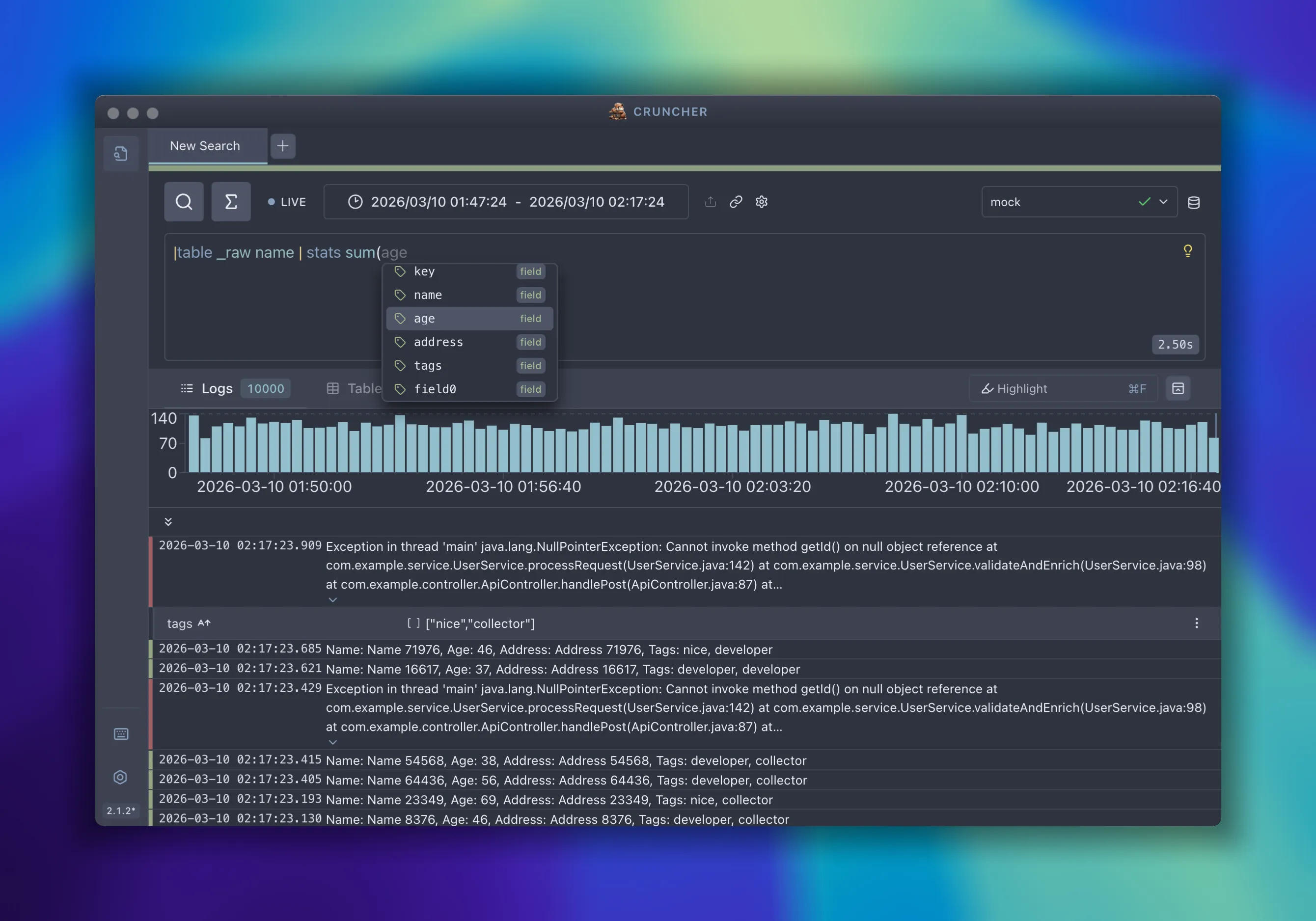
Cruncher is a powerful Electron desktop application that lets you investigate logs from multiple sources with a unified query interface.
Inspired by observability tools like Splunk and Grafana, Cruncher brings advanced log investigation capabilities to your computer without relying on external services. Connect to your data sources, query with QQL (Quick Query Language), and analyze results with rich visualizations—all offline and on your machine.
What is Cruncher?
Section titled “What is Cruncher?”Cruncher is a standalone desktop application that:
- Connects to multiple log sources via a flexible adapter system (Grafana, Loki, Kubernetes, Docker, Coralogix, and more)
- Provides a unified query language (QQL) inspired by SPL2 and KQL, easy to learn but powerful
- Gives you investigation capabilities directly on your computer—no backend required
- Offers a beautiful, responsive UI built with React and optimized for desktop
Key Features
Section titled “Key Features”Multi-tab Interface
Organize multiple searches in tabs, each with independent time ranges and queries
Histogram View
Visualize log distribution over time with interactive bucket navigation
Rich Result Views
Automatic Logs, Table (after `| table` or `| stats`), and Charts (after `| timechart`)
Row Details Panel
Inspect individual records with field types, copy values, and quick append-to-query buttons
Keyboard Shortcuts
Power-user shortcuts for all common actions — see [Keyboard Shortcuts](/getting-started/07-keyboard-shortcuts)
Multiple Themes
Choose from Midnight, Nord, Dracula, or Catppuccin themes
Adapters at a Glance
Section titled “Adapters at a Glance”Cruncher comes with built-in adapters for all your log sources:
Query Loki through Grafana UI with browser-based authentication
Direct Loki access without Grafana wrapper for standalone deployments
Query pod logs directly from your cluster
Stream logs from local Docker containers
Connect to the Coralogix log management platform
Local test data for demos and learning
See Adapters for full configuration details.